Top 10 practical changes in Hermes Agent v0.18.0 (and what they're for)
The Judgment Release dropped on 2026-07-01. Ten changes from v2026.7.1 that actually shift how a one-person operator runs Hermes day-to-day, anchored in the release notes, peer-to-peer tone, with the headline grabbers deliberately passed over.
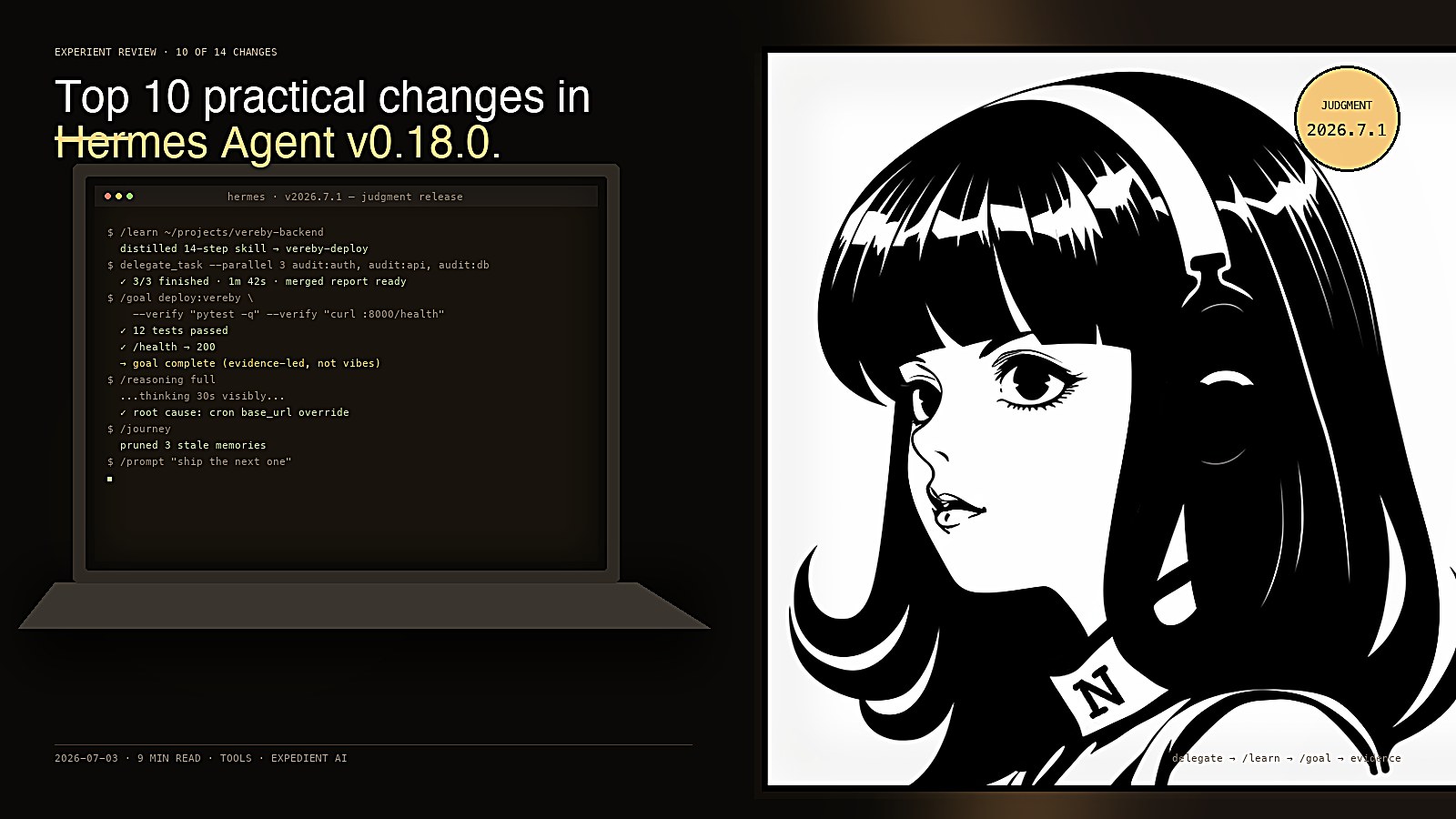
We use Hermes Agent as our day-to-day terminal assistant at the studio. Multiple named profiles, Telegram as the primary comms channel, daily cron briefings, and a skills library that's grown fat over the last year. So when the Judgment Release (v2026.7.1) dropped on the first of July, we did what we do with any release: pulled the notes, pulled the PRs, and asked which changes actually move the needle on a one-operator workflow.
These are the ten. They are not the headline grabbers. They are the ones that change how a single person uses Hermes across a working day.
1. delegate_task runs in the background and reports once when everything finishes
What it is: When you kick off parallel subagents, your chat is no longer blocked. The dispatcher returns immediately; you keep working; and when every subagent has finished, their results come back as one consolidated block, not one message per subagent.
Why it matters: Today's pain: "I asked three agents to research three things. Now I'm staring at the screen waiting. Three minutes. Five." With this, you kick it off, send the next message, and the consolidated result lands when all three are done.
Practical example: "Audit these three modules for security issues in parallel" → you can immediately say "while that runs, show me last week's cron logs" in the same chat. When the audit finishes, you get one block with all three reports stacked.
Under the hood (#49734): one async-pool slot owns the whole batch; results roll into one {results:[...]} block; orchestrator subagents stay synchronous so deeper fan-out behaviour is preserved.
2. /learn , turn any session into a skill
What it is: One slash command, takes a directory, URL, the workflow you just walked, or pasted prose, and distils a Hermes-compatible skill out of it, authors SKILL.md to your CONTRIBUTING.md standards automatically.
Why it matters: Today we save skills through skill_manage(action='create') after noticing a pattern. With /learn, you do it inline: /learn ~/projects/vereby-backend after finishing a deploy, and the next time, that workflow is one keystroke away. Works the same on CLI, Telegram gateway, TUI, dashboard and desktop because it's an open-ended agent turn rather than a host-side engine.
Practical example: "I just spent 20 minutes talking you through the Vereby webhook → email-handoff flow. Now /learn that and next time you do it from one command."
3. /prompt (alias /compose), write long prompts in your editor
What it is: Opens $EDITOR so you can hand-write a multi-line prompt in real markdown instead of fighting a one-line input.
Why it matters: When you're about to delegate something meaty, "audit this codebase against these six criteria and write a report", typing it as one line in the CLI is friction. Now you do /prompt (or Ctrl+G in the TUI), the editor opens, you write the spec in proper markdown, save, and it sends as the next turn.
Practical example: /prompt pre-seeds with seed text, so /prompt "Review the auth module for" opens with that in the file, and you keep typing.
4. Cron continuations, reply to a cron delivery and the agent has context
What it is: Cron job deliveries become continuable, on Telegram (and other threaded platforms), a dedicated thread opens. On Slack, flat in-channel continuable delivery. You reply, the agent has the brief in context instead of starting fresh.
Why it matters: Today: cron briefing lands in Telegram, you want to drill into one section, you send a long message restating the question. Now: you just reply in the thread. The agent already knows what it sent.
Also fixed in the same release wave:
- Cron
base_urloverrides that could exfiltrate provider credentials are now blocked at the scanner, a direct attack-surface win if any of your cron fetches untrusted URLs. - Missed-grace jobs run once after downtime instead of being deferred indefinitely.
- Cron jobs layer enabled MCP servers onto per-job toolsets, better scoping, less credential bleed.
Practical example: Morning briefing mentions a Vereby deploy result. You reply "show me the timeout config it landed on" in the same thread, no re-prompting.
5. /goal completion contracts, the agent proves it's done
What it is: /goal now accepts a completion contract, what "done" looks like, and judges the work against evidence (running your project's checks) instead of stopping when the model feels like it. A profile-scoped evidence ledger backs this up.
Why it matters: The classic LLM failure mode: "I think I fixed it." With completion contracts, you say "done means pytest -q exits 0 and the integration test passes", and the goal loop won't accept completion until that's actually true.
Also released in 0.18.0: /goal wait parks the standing-goal loop on a background process, plus a pre_verify hook for wiring in custom checkers.
Practical example: "/goal stop the kanban dashboard when smoke-tests pass and no process is on port 8000", the agent keeps poking until both are verified, not until it thinks they're verified.
6. Profile descriptions make kanban decomposition route by role
What it is: New flag on hermes profile create:
hermes profile create xyz_app --description "FastAPI multi-tenant backend specialist"The description is read by the kanban decomposer so it can route tasks to roles, not just profile names. Skip it and add later via hermes profile describe.
Why it matters: When you say "build me an xyz app", an LLM-based decomposer reads the description of every profile you have and routes the work to the right one, without you spelling out a profile name. Today this is opaque (you needed to know the names). Now it's semantic.
Practical example: You have a vereby_ops_manager profile whose description is "Vereby multi-tenant backend, MCP connectors, Resend email pipeline." When you say "investigate the slow Resend webhook," the decomposer picks it up automatically because the role matches.
7. /journey + desktop memory graph, see and prune what your agent knows
What it is: CLI and TUI get a learning timeline showing every memory and skill the agent has accumulated, with in-place edit/delete. The desktop app pairs this with a playable radial memory graph (top-down, scrollable).
Why it matters: Memory accumulates. Without visibility, you eventually hit token pressure, lose track of which assumptions are still true, and silently make decisions on stale facts. With this, you can see when a memory was saved, what triggered it, and prune it on sight.
Practical example: "I see my agent remembered that Vereby uses MariaDB. We migrated two months ago." /journey → delete that memory → next session, no more stale-database decisions.
8. Slack cron continuation + Telegram command-menu tweaks
What it is: Flat in-channel cron continuations on Slack (so replied-in-channel works on Slack). Configurable Telegram command menu with a higher default cap so skills stay visible. Drain general send pool on Telegram timeout before retry. All small reliability wins to the messaging layer.
Why it matters: If Telegram is your primary channel, the visible improvement is: your skills and slash commands don't fall off the menu as you accumulate them. Slack users get the threading equivalent of Telegram's continuations.
Practical example: This is the quiet-but-every-week kind of fix, fewer "where did my command go" moments.
9. Background self-improvement routes to a cheaper model
What it is: The post-turn self-improvement fork (the one that decides whether to save a memory or distil a skill at the end of each turn) now routes to an auxiliary model, digests context instead of replaying the full conversation, and adapts cadence.
Why it matters: Today every turn ends with a fork that costs about as much as the main turn. With this, it's 5–10% of the cost. On high-velocity sessions that adds up. You keep the self-improvement; you stop paying full main-model price for it.
Practical example: You don't have to do anything. Your /usage numbers just go down without losing the memory pipeline.
10. /reasoning full, uncapped thinking, with timestamps in /history
What it is: /reasoning full removes the budget cap on the model's reasoning trace. /timestamps (and timestamps in /history) show when each message happened in long sessions.
Why it matters: When you hit a hard problem and want to know what the model thought before answering, like debugging a failed delegate or a stale-fact loop, uncapped reasoning shows the whole chain, not a clipped summary.
Practical example: "Diagnose why the Vereby webhook ack came back 200 but no email landed." The model thinks for 30 seconds visibly, shows its reasoning, then answers. The reasoning is evidence, not magic.
