Top 10 practical changes in Hermes Agent v0.20.1 (and what they're for)
Hermes Agent v0.20.1 landed on 2026-08-13. Ten changes that actually shift how a one-person operator runs Hermes day to day: profile export and import, emergency pause, live subagent steering, and more.
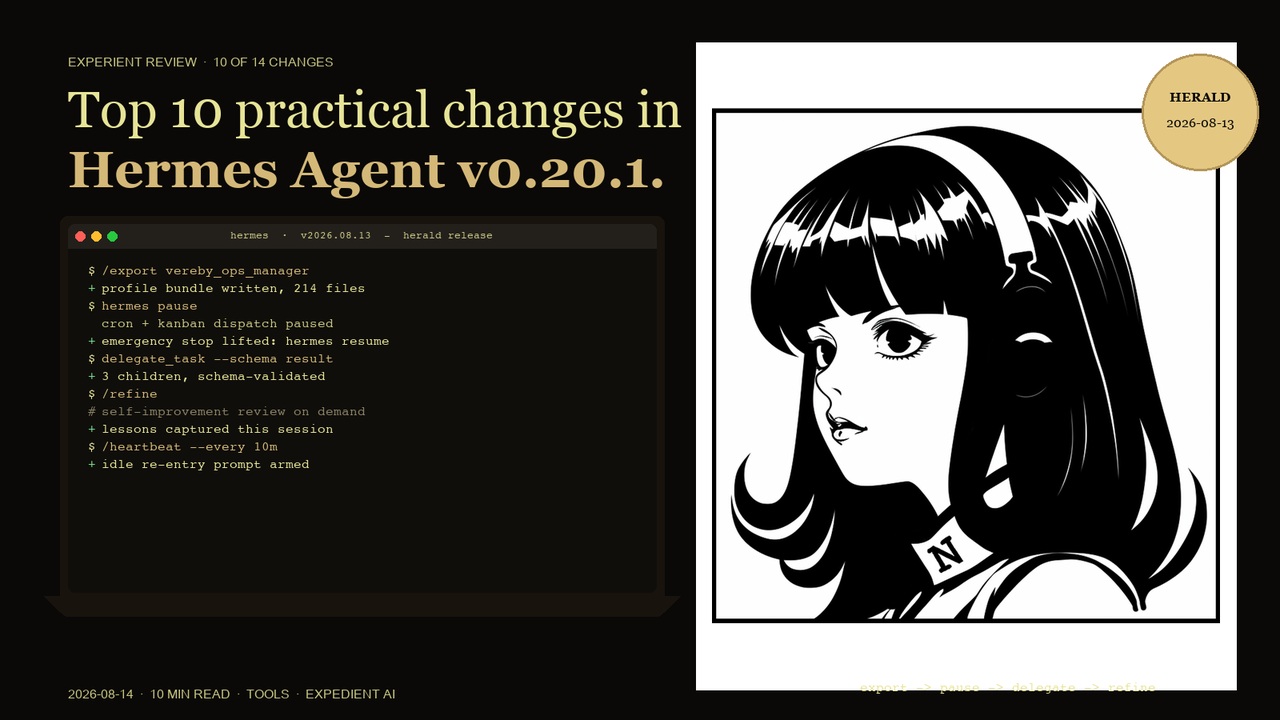
Context: I run Hermes as my main agent on multiple named profiles (default, pclm_commander, vereby_ops_manager) for separate coding projects. Telegram is the primary channel, with daily cron briefings and delegated multi-step builds. These are the ten changes from 0.20.1 that move the needle on that workflow.
1. /export and /import : move a profile between machines
What it is: Two slash commands that package a named Hermes profile so it can be moved or shared. Export produces the profile bundle; import restores it somewhere else.
Why it matters: Before this, moving a profile meant copying directories by hand and hoping the paths lined up. Now it is one command out, one command in. For anyone who runs project-scoped profiles, this is the difference between a laptop swap taking an afternoon and taking ten minutes.
Practical example: /export vereby_ops_manager before a machine change, /import on the new machine, done. The profile keeps its memory, skills and config.
2. hermes pause / hermes resume : a global emergency stop
What it is: hermes pause is an emergency stop that pauses cron dispatch, kanban dispatch and new work until you lift it with hermes resume.
Why it matters: The failure mode it fixes is familiar: a cron job starts misbehaving, or a wave of background work kicks off at the wrong moment, and there is no single switch to make everything quiet. Now there is. One command stops the noise, you sort out the cause, one command starts it again.
Practical example: A briefing job starts firing errors at 11pm. hermes pause, investigate the job, fix it, hermes resume. No fighting individual schedules.
3. Live orchestration of running subagents : steer, don't restart
What it is: When you delegate work to subagents, you can now send a running subagent a course correction without stopping it, or stop it early and keep its partial results.
Why it matters: Previously a misdirected subagent either ran to the end or had to be abandoned. Now you can steer mid-flight, which saves whole cycles on long research or build tasks that drift off the brief.
Practical example: A subagent is auditing a codebase and starts going too deep on one module. Steer it back to the six-criteria checklist and it adjusts without losing the work already done.
4. Structured-output schemas on delegation : results you can trust by shape
What it is: delegate_task can now take an optional JSON schema that the subagent's final answer must validate against.
Why it matters: The classic problem with delegated work is the freeform report: the answer comes back, but every field is a different shape. A schema means the parent validates the result and can request one bounded correction if it does not fit. Fewer surprises, less parsing.
Practical example: Ask three subagents to research three markets, each returning the same schema: name, pricing, gap, verdict. The consolidated result is a table, not a wall of prose.
5. Per-delegation cost in the result : know what the fan-out cost
What it is: Each delegation result now carries its own cost figure alongside the summary.
Why it matters: If you run parallel subagents regularly, the token bill can quietly stack up. Seeing the cost per delegation makes it visible where it happens, so you can adjust how many children you spawn and on what model.
Practical example: After a five-way parallel research run, the results show the cost of each branch. You spot that two branches cost three times the others and switch those tasks to the cheaper model next time.
6. /refine : run the self-improvement review on demand
What it is: /refine triggers the memory and skill self-improvement review immediately, instead of waiting for the automatic post-turn pass.
Why it matters: The background review usually fires at the end of turns, which is fine, but sometimes you finish a hard session and want the lessons captured right then while the context is fresh. /refine makes the timing deliberate.
Practical example: After untangling a tricky deployment, run /refine and the session's lessons become a skill or memory entry immediately, not whenever the next background fork happens to run.
7. /heartbeat : a recurring prompt when you go quiet
What it is: /heartbeat sets up a recurring session re-entry prompt that fires when the session is idle.
Why it matters: Long-running sessions drift. A heartbeat brings the agent back to you at a cadence you choose, so an idle session becomes a gentle check-in instead of a silent hole.
Practical example: A build session with long waits gets a heartbeat every ten minutes, so the agent re-prompts you when it is waiting, rather than sitting silent until you poke it.
8. Read/write window awareness on desktop : the agent can see what's underneath
What it is: The desktop app can answer which OS window is underneath it, and can read the window below when asked.
Why it matters: For desktop automation and support work, context matters. Knowing what window the user actually has open is the difference between the agent guessing and the agent knowing what you are looking at.
Practical example: You are looking at a dashboard and ask the agent about the numbers on screen. It reads the window below and answers about what you are actually seeing.
9. Security: self-repo git mutations are hard-blocked
What it is: The terminal tool now blocks commands that mutate the running Hermes source checkout itself, and protected agent-instruction files always require write approval.
Why it matters: This is a self-protection fix. An agent that can accidentally commit to or rewrite its own installation is an agent that can break itself. The block is unconditional and cannot be bypassed by force flags, which is exactly the right design for this class of footgun.
Practical example: A stray command that would rewrite the agent's own config or source tree is refused with a clear message instead of silently corrupting the install.
10. Wake word for remote desktop : hands-free from the client
What it is: The wake word can be captured on the client side and streamed for remote desktop sessions, alongside the existing on-device capture modes.
Why it matters: Voice control is only useful if the mic that hears you is the one near you. For remote setups, capturing on the client and streaming means the wake word works even when the agent runs elsewhere.
Practical example: Working on a laptop against a remote Hermes desktop, you say the wake word into your laptop's mic and the remote session responds.
What did not make the list (but is in the notes)
v0.20.1 also includes the new /learn mode for large corpora, Google Gemini 3.7 Flash in the catalogs, Slack native streaming and task cards, HUD mode window handoff on desktop, session naming at start, cron monitor-mode jobs with hash-suppressed change detection, a per-job durable notepad, vision region-zoom cropping, and a Windows update hand-off orchestrator. Real changes, but either narrower or less daily-impacting for the one-person operator workflow.
What this means for a UK service business running Mercury OS
For the clients we run Hermes-style agent workflows for, the meaningful upgrades are the emergency pause, the profile export and import, and the structured delegation schemas. Together they turn "agent platform" from something you tinker with into something you can safely schedule, move between machines and hold accountable. The security blocks matter more than any feature: an agent that cannot break its own installation is an agent you can leave running.
The honest version of how to read a patch release this big
0.20.1 is labelled a patch but carries more than a thousand commits of fixes and features. That is normal for Hermes: releases ship on a schedule, and the patch boundary is administrative, not a measure of impact. The ten items above are the ones I actually expect to use. Everything else in the notes is worth a skim when you hit the specific problem it solves, not before.
